Make IntelliJ highlight usages
By default, Eclipse highlights usage of a word, if you double click it. But IntelliJ IDEA can also do that.
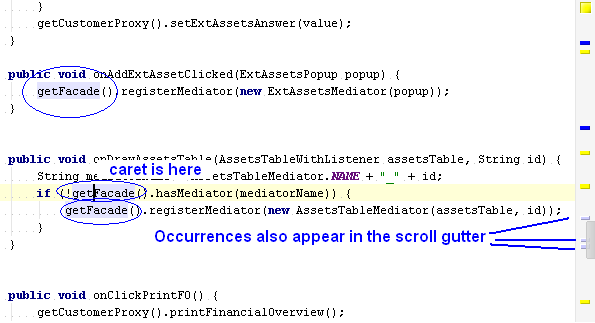
It is a very convenient feature, which highlights all occurrences of the word you place the cursor in.
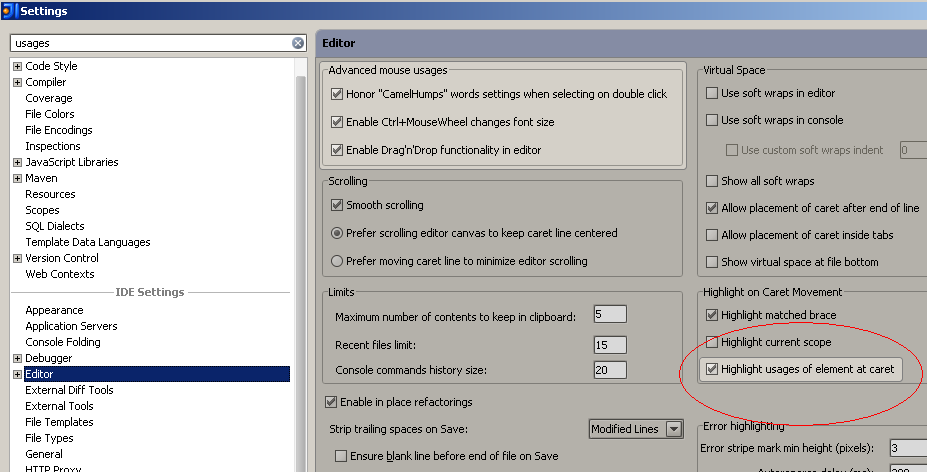
To turn it on, just go to “File>Settings” window.
Check “Highlight usages of element at caret” under “IDE Settings > Editor”
Frankly, I do not understand why this is not default turned on in IntelliJ.